
Handy Art Reference Tool
Belief EngineComics
4.7383.00 Reviews
- Version
- 5.1.2
- Installs
- 50.00K
- Age Rating
- Teen
Screenshots
Our Review of Handy Art Reference Tool
 Analysis by Appyee
If you're anything like me, you know the struggle of trying to find the perfect reference image while working on an art project. That's where the Handy Art Reference Tool comes in handy—pun intended. This app is a lifesaver for artists who need quick access to a wide variety of reference images, be it for anatomy, hands, or poses.
Getting Started with Handy Art Reference Tool
First off, downloading the Handy Art Reference Tool is super straightforward. Available on both Android and iOS, it’s just a tap away from transforming your art game. Once you have it installed, you’ll be greeted with a clean and intuitive interface that makes navigation a breeze.
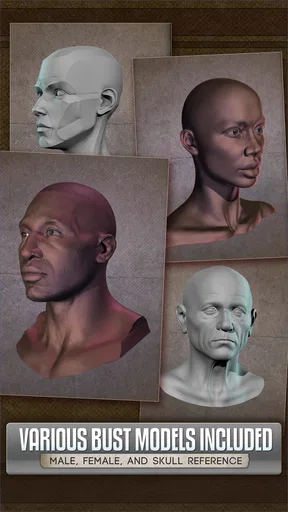
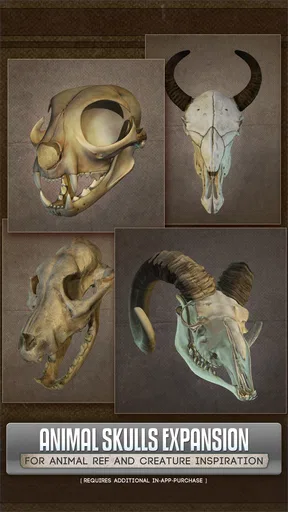
The app's UI is user-friendly, making it easy for both beginners and seasoned artists to navigate. The main screen presents various categories—hands, heads, skulls, and even animals—which you can dive into depending on what you need for your current project.
Exploring Features
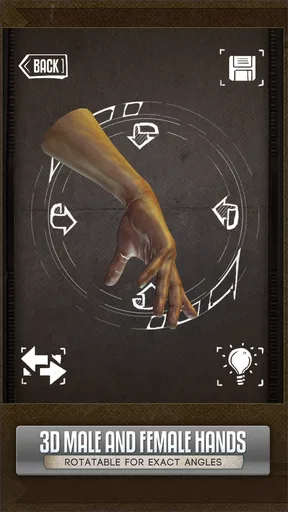
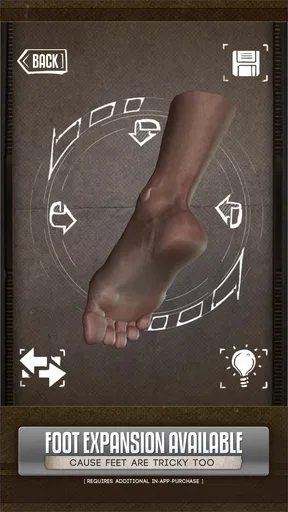
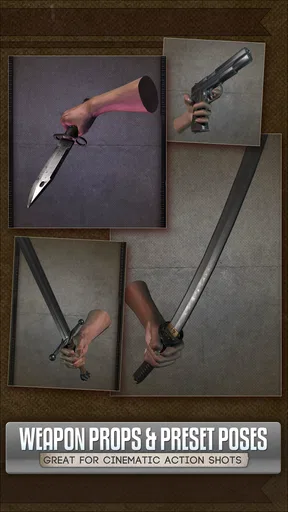
Let’s dive into what makes this app a must-have for artists. The range of 3D models is incredibly detailed. You can rotate and position these models in any way you see fit, offering endless possibilities for your art references. Whether you’re working on a portrait or a dynamic action scene, this app has got you covered.
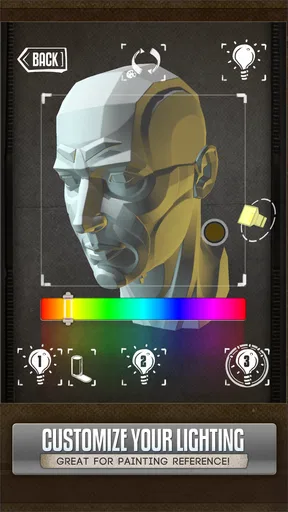
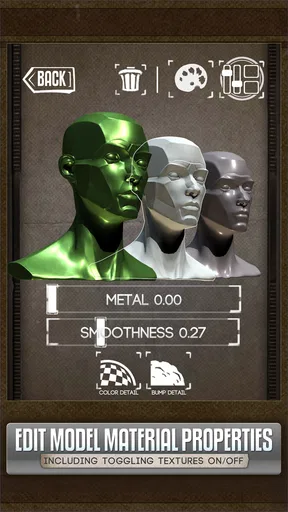
One of my favorite features is the lighting control. You can adjust the light source to see how shadows play across the models. This feature is invaluable for understanding light dynamics and improving your shading techniques. Plus, the app supports multi-touch gestures, so zooming in on details is a piece of cake.
Customization and Versatility
Customizability is another area where this app shines. You can alter skin tones and textures, which is perfect for artists who need to understand different materials and how they interact with light. The app also allows the use of multiple limbs or heads in one scene, which is a fantastic feature for creating complex compositions.
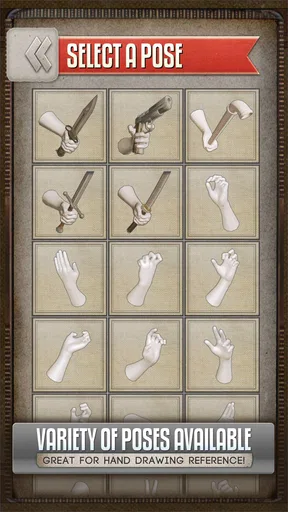
For those who enjoy a bit more structure, the app offers pre-set poses. These poses are a great starting point, especially if you’re stuck in a creative rut or just need some inspiration to get started.
Practical Applications
So, how does this app fit into your daily art routine? Well, it’s perfect for both learning and professional work. Students can use it to practice anatomy or understand the basics of light and shadow, while professionals can use it to refine their skills and speed up their workflow.
The portability of the Handy Art Reference Tool is another massive plus. Whether you’re sketching on the go or working in your studio, having a multitude of references at your fingertips is incredibly convenient. Plus, it saves you from endless internet searches for the right reference image.
Conclusion
All in all, the Handy Art Reference Tool is a game-changer for artists of all levels. It’s not just an app; it’s a pocket-sized art studio that’s always at your disposal. Whether you’re a hobbyist or a professional, this app can help elevate your art to new heights. So, if you haven’t already, give it a try! It might just become your new favorite art companion.
Verdict
Strengths of Handy Art Reference Tool
- Extensive range of poses and models.
- High-quality 3D rendering.
- Intuitive user interface.
- Regular updates with new features.
- Offline access available.
Limitations of Handy Art Reference Tool
- Limited free version features.
- Occasional app crashes reported.
- Requires a large storage space.
- In-app purchases can be pricey.
- Steep learning curve for beginners.
Similar Picks in This Category
View All
WEBTOON: Manga, Comics, Manhwa
NAVER WEBTOON4.6

MangaToon: Comic & Manga
MangaToon4.3

네이버 웹툰 - Naver Webtoon
NAVER WEBTOON4.3

Tapas – Comics and Novels
Tapas Entertainment Inc.4.2

Lezhin Comics - Daily Releases
LEZHIN ENTERTAINMENT3.3

WebComics - Webtoon & Manga
WEBCOMICS HOLDINGS HK LIMITED4.4
Frequently Asked Questions
What features does the Handy Art Reference Tool offer?
The Handy Art Reference Tool provides artists with a versatile set of 3D reference models, including male and female figures, hands, skulls, and more. Users can adjust lighting, rotation, and zoom levels to study anatomy from various angles, enhancing their drawing accuracy and creativity.
Is the Handy Art Reference Tool suitable for beginners?
Yes, the app is designed to be user-friendly for artists at all levels. Beginners benefit from its intuitive interface and the ability to explore detailed anatomical references, while advanced users appreciate the customizable settings that allow for more complex study sessions.
Does the app require an internet connection to function?
No, once the Handy Art Reference Tool is downloaded, it operates offline. This feature is particularly useful for artists who want to work on the go without worrying about data usage or connectivity issues, making it a practical choice for mobile art creation.
Are there any in-app purchases or subscriptions required?
The app offers a one-time purchase model, providing users with full access to all features and updates without the need for additional subscriptions or in-app purchases. This transparent pricing structure is ideal for users who prefer to avoid recurring costs.
Can the Handy Art Reference Tool be used on tablets as well as smartphones?
Absolutely. The app is optimized for both smartphones and tablets, ensuring a seamless experience regardless of the device. Larger screens on tablets enhance the ability to view and manipulate models in greater detail, which can be advantageous for intricate artistic work.
